
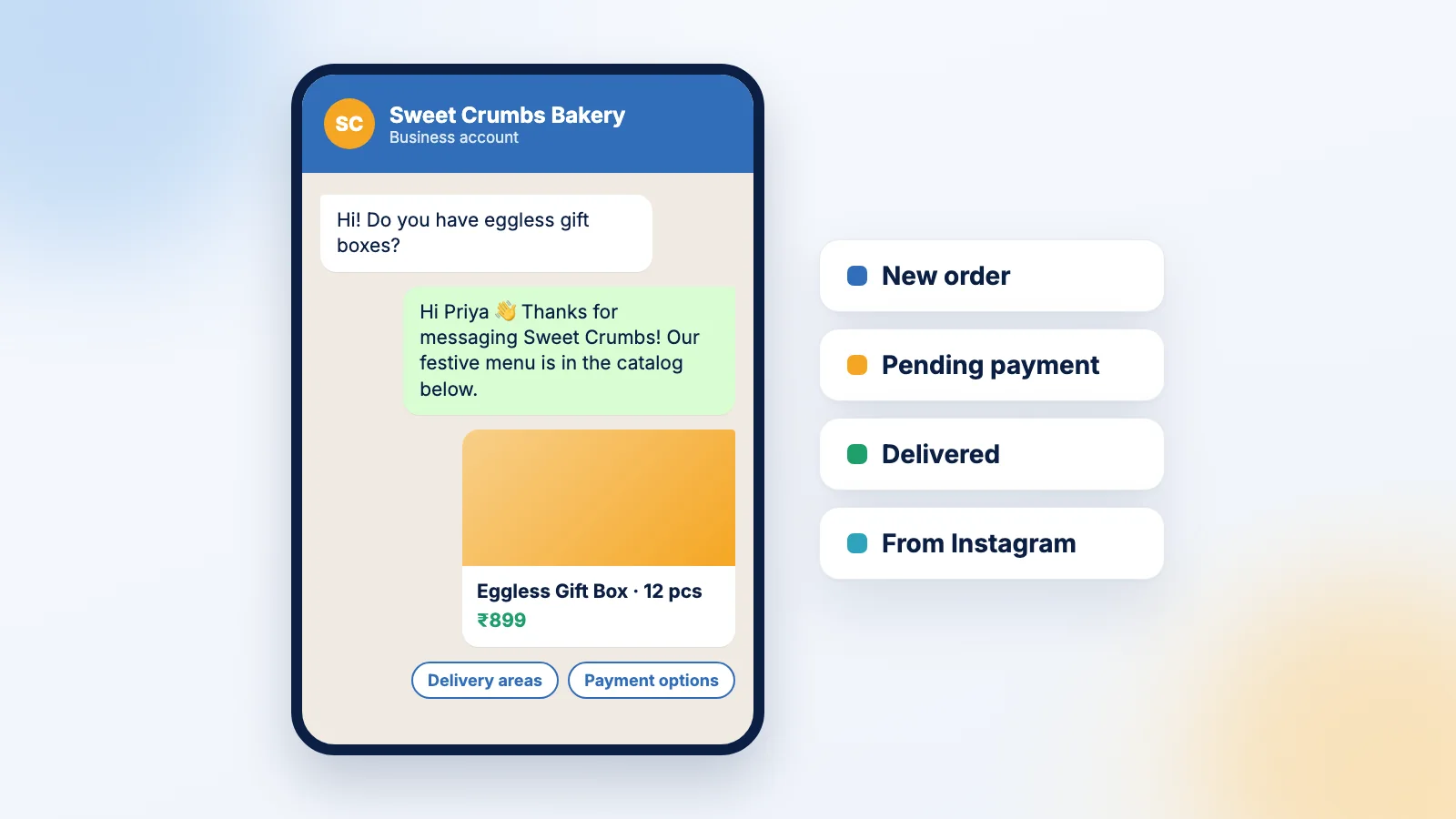
For a lot of Indian small businesses, WhatsApp is the shop counter. Customers find you on Instagram or Google Maps, then message “Hi, price?” or “available in blue?”, pay on UPI, and send a screenshot. The whole sale happens in one chat.
And there are a lot of people on the other end. India had 1.03 billion internet users in October 2025 and 500 million active social media user identities (DataReportal, Digital 2026: India).
The problem is that WhatsApp also eats your day if you let it. This guide covers setting it up so it works for you, and the two things most owners get wrong: broadcasts and pricing.
The app or the Platform?
The WhatsApp Business app is free, runs on your phone, and covers one business number. That’s enough for most small businesses.
The WhatsApp Business Platform (people often call it “the API”) is for automated messages, connecting WhatsApp to your website or CRM, several people replying from one number, and sending at scale. You usually get it through a provider, and messages are charged. More on that below.
Start with the app. Move to the Platform when you’re typing the same replies all day, or when two or three people need to answer from one number.
Thirty minutes of setup that saves hours
The Business app has these tools built in (WhatsApp Business). Set all of them up before you put your number on your Instagram bio or shop board:
- Business profile. Address, hours, website, a one-line description. Customers check it before they message.
- Catalog. Products or services with photos and prices, shareable in any chat. No more typing out the rate list twenty times a day.
- Greeting message. An automatic first reply to new chats: “Hi! Thanks for messaging Sweet Crumbs 🎂 Our Diwali menu is in the catalog. Which date do you need your order for?”
- Away message. “We’re closed now, we’ll reply by 10 am.” Customers are fine with waiting; they’re not fine with silence.
- Quick replies. Saved answers to your top questions (delivery areas, COD or UPI, timings), inserted with a shortcut.
- Labels. Tag chats as New order, Payment pending, Delivered. It’s a free order tracker. Add a label for where the enquiry came from too (Instagram, Google), and you’ll finally know which channel is working.
Why your broadcasts don’t reach people
Broadcast lists let you send one message to many customers; each person gets it as a normal one-to-one chat. Most owners don’t know the catch: a broadcast is only delivered to people who have saved your number in their phone’s address book (WhatsApp Help Center).
That’s why a Diwali offer “sent to 250 people” gets three replies. Most of them never received it.
Two fixes. First, actually ask customers to save your number: on the bill, in your greeting message, with a small “save our number and get 5% off your next order”. Second, for people who haven’t saved you, WhatsApp suggests converting the list into marketing messages instead. Check the charges shown in the app before you send.
You can build a broadcast list straight from a label, say everyone tagged Diwali 2025 customers. Handy for festive season.
What the Platform costs now
If you move to the WhatsApp Business Platform, the pricing model matters. Since 1 July 2025, Meta charges for each message delivered, not per conversation (Meta for Developers). In practice:
- Template messages are what you pay for. Templates are the pre-approved messages you use to start a conversation. Every marketing template is charged.
- Replying is free. When a customer messages you, a 24-hour customer service window opens. Normal replies inside that window cost nothing, and customers’ messages to you are never charged.
- Utility templates (order confirmations, delivery updates) sent inside an open service window are also free.
- Click-to-WhatsApp ads open a 72-hour free window in which all messages, templates included, are free.
Meta has announced more pricing changes for some message types in August and October 2026, so check the current rate card for India before you budget.
The practical lesson: build everything around conversations the customer starts, through ads, QR codes at the counter, and “WhatsApp us” buttons. They’re far cheaper than conversations you start.
Some basic WhatsApp manners
Get permission before sending promotions, and make it easy to stop them (“Reply STOP and we’ll remove you”). One useful message a week beats a daily “SALE SALE SALE” forward that gets you blocked and reported.
Reply fast. Set yourself a target, say within two hours during working hours, and use quick replies to hit it.
And please keep a separate business number. Your customers don’t need to see your family group’s good-morning messages, and you don’t want order screenshots buried under them.
Where WhatsApp fits in the rest of your marketing
Put a WhatsApp link everywhere people find you: your Instagram bio, your Google Business Profile, your website. If you run ads, click-to-WhatsApp ads pair nicely with that 72-hour free window; see our small-budget Meta ads playbook. And count WhatsApp enquiries in your weekly numbers, because they’re often your best leads (here’s what to track).
Sources
- DataReportal, “Digital 2026: India”
- WhatsApp Business, “WhatsApp Business App”
- WhatsApp Help Center, “How to use broadcast lists on the WhatsApp Business app”
- Meta for Developers, “Pricing on the WhatsApp Business Platform”
We checked every figure and pricing rule in this article against the original source on 25 September 2026.